
This week, we were asked to research version control.
I've been using version control for a long time professionally as a developer, so when I saw this week's topic, it seemed like a quick win. However, this was actually the perfect opportunity to reflect on my process and knowledge (the procedural reflection domain) and see if there are any areas I can refine and improve on.
So that I continue to hit and work towards my goals, I'll be working again in Unity for my second rapid ideation project, and version control will be a part of that.
So I set up a few questions to analyse.
The questions
Why even use version control like Git?
Version control is a way to record changes to files so that you can recall specific versions later (Chacon and Straub, 2014).
As a term, I don't think this fully describes the usefulness of tools such as Git. Git is a powerful tool for tracking versions and controlling deployment, but just as critical is the ability to collaborate and experiment.
The book Version Control with Git (Loeliger and McCullough, 2012) has a useful summary of the problems Git was designed to solve. Specifically, the points I think are most relevant include:
- Facilitating distributed development - In other words, developers can work asynchronously without a central bottleneck.
- Scale to handle thousands of developers - This is a crucial tool for team collaboration and open-source projects.
- Support and encourage branched development - Important for the ability to collaborate and experiment.
So why is this relevant to my research?
Collaboration is an area I have commercial experience in, but it has always been limited to internal teams. What Git enables, which I regrettably do not have as much experience in, is collaboration on open source projects with huge numbers of developers contributing.
When analysing one of Git's main purposes, it's clear that it was designed to promote and facilitate worldwide collaboration on projects, so this is an area I should attempt to gain some experience in to deepen my practice in version control. I think the best practical exercise would be participating in a game jam.
Which to use? Git vs Unity Collaborate
As part of this week's challenge activity, we were asked to set up a Github repo to track our second rapid ideation project.
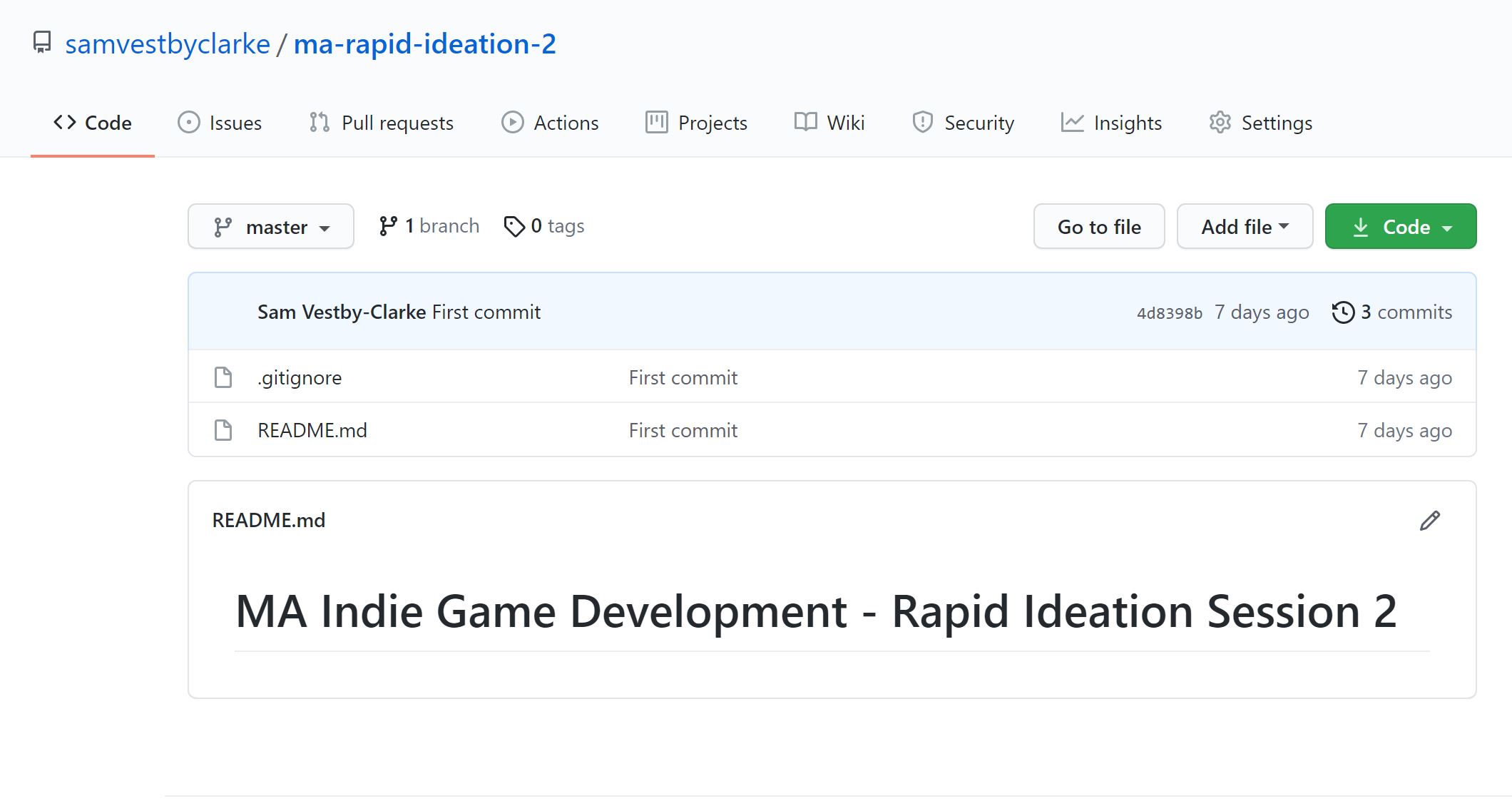
After setting up my repo, I realised there was a preset for Unity projects, so I had to go back and add this. The importance of this being that it adds the correct .gitignore file for the project. This file ignores anything unnecessary to track or config based to avoid merge issues.
So far, I've used Unity Collaborate to track changes in work built in Unity. It's integrated into the software and really fast and easy to use. You hit the publish button and commit your changes.
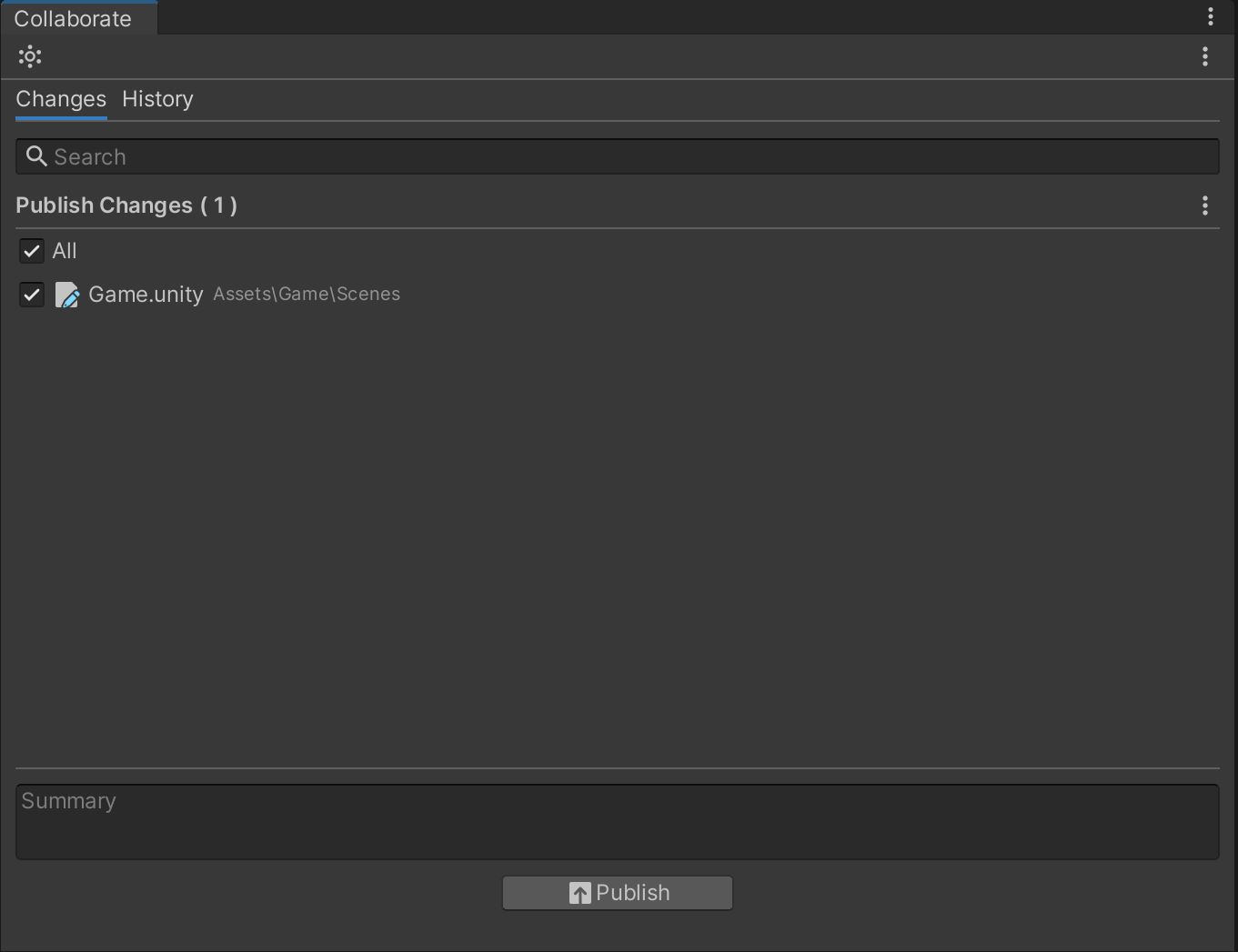
What I have not done with it yet, is actually collaborate with someone.
A couple of interesting points came with my peers in the weekly webinar on this topic. When I mentioned I use Collaborate, there were differing views on its effectiveness when working in teams, with one person having used it very successfully and another not. Another was that Collaborate is potentially soon deprecated. On researching this, I found that Collaborate is still maintained (Unity - Manual: Unity Collaborate, 2021), but Unity has also acquired Plastic SCM (Plastic SCM Cloud Edition | Unity, 2021) for larger multidisciplinary teams (more on this in the next question).
So in terms of which to use, and why. This isn't actually clear to me yet. This week and beyond, I need to answer a few questions:
- How effective is git for handling version control with Unity projects? Very specifically, is the .gitignore file adequate?
- What is Unity Collaborate like when actually collaborating? This may be difficult to answer for rapid ideation 2 as I am working alone, but I will add this to my roadmap.
- How about Plastic for Unity (Plastic SCM)? Is this relevant to small teams, and how effective is it?
This isn't all about software.
So, not a question, but a really important point. We had a discussion on Discord with some of the UX students that Git doesn't feel a natural choice for design files. I confidently put out that it is not an ideal version control system for design files and that in my work, I've used things like Dropbox for this.
But it was rightly pointed out that creative teams are multidisciplinary and regardless of your role, getting to grips with it is beneficial as you will likely use it at some point.
But this also got me thinking, what version control tools exist beyond what I've used in the past for design files, which admittedly may well have been out of using the status quo in my workflow rather than the optimal tool.
Most relevant to my own work takes us back again to Plastic for Unity. Gluon mode in Plastic for Unity allows artists to compare design files with swipe mode, which I can see is a really useful visual feature for seeing what has changed. It also keeps the heavier command-line style elements for developers only, improving workflow for designers and artists.
(Unity, 2021)
What next?
Version control is not new to me, but my research this week and discussions in the webinar and on discord have opened up some new areas for me to work on:
- I've identified that my understanding would benefit from participating in an open-source project like a collaborative game jam.
- I've got several actions to work on relating to version control for the next rapid ideation session.
- I'm looking into new tools for version control that factor in art/design workflows, such as Unity Plastic.
I'll feed what I can into the rapid ideation session and keep anything else tracked for what comes after.
List of Figures
Figure 1: GoodStudio, n.d. Teamwork and team building flat vector illustration. Coworkers assembling jigsaw puzzle cartoon characters. Coworking and business partnership concept. Businessmen and businesswomen cooperation.. [image] Available at: <https://www.shutterstock.com/image-vector/teamwork-team-building-flat-vector-illustration-1518160778> [Accessed 16 July 2021].
Figure 2. Vestby-Clarke, S., 2021. Rapid Ideation 2 Github Repo with Unity .gitignore. [image] Available at: <http://indie.samvestbyclarke.com/bl-content/uploads/pages/61968dda7608daffd563ca513cbdfbb8/github.jpg> [Accessed 16 July 2021].
Figure 3. Vestby-Clarke, S., 2021. Unity Collaborate. [image] Available at: <http://indie.samvestbyclarke.com/bl-content/uploads/pages/61968dda7608daffd563ca513cbdfbb8/unity-collaborate.jpg> [Accessed 16 July 2021].
References
Chacon, S. and Straub, B., 2014. Pro Git (Second Edition). 2nd ed. Berkeley, CA: Apress, p.8.
Docs.unity3d.com. 2021. Unity - Manual: Unity Collaborate. [online] Available at: <https://docs.unity3d.com/Manual/UnityCollaborate.html> [Accessed 16 July 2021].
Loeliger, J. and McCullough, M., 2012. Version control with Git. 2nd ed. Beijing: O'Reilly, pp.3-4.
Unity, 2021. Plastic for Unity Plugin Gluon Mode guide. [video] Available at: <https://www.youtube.com/watch?v=kfRu21cArGc> [Accessed 16 July 2021].
Unity. 2021. Plastic SCM Cloud Edition | Unity. [online] Available at: <https://unity.com/products/plastic-scm> [Accessed 16 July 2021].